

Step 1: Log In or Register
Click Login/Register at the top of the page and enter your information to sign in or create an account.

Step 2: Find the Sale
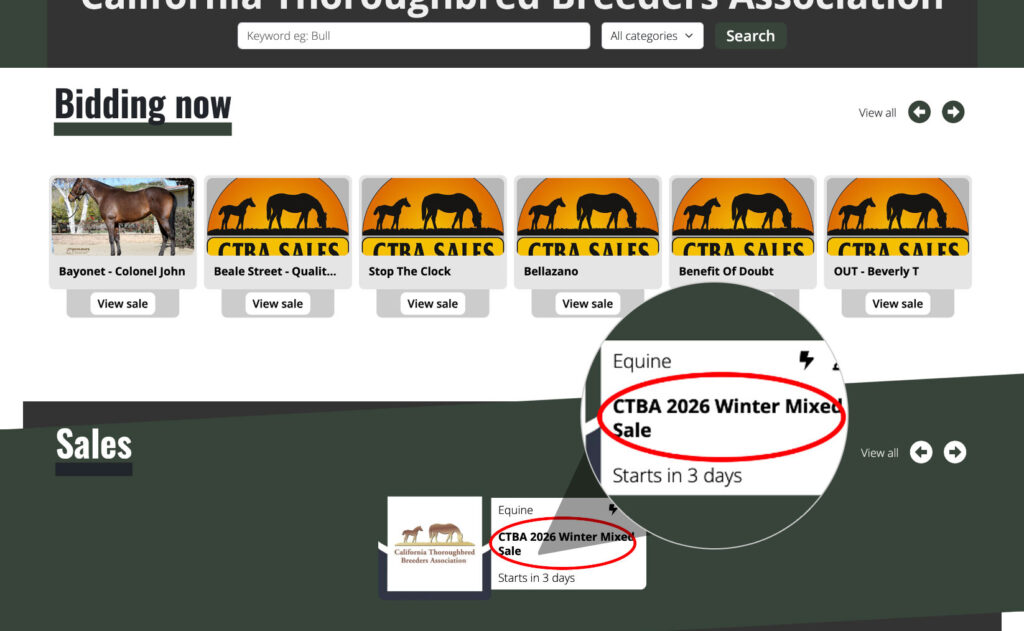
After logging in or registering, return to the homepage.
Scroll down to the Sales section and click CTBA 2026 Winter Mixed Sale.
Step 3: Choose How You Want to Participate
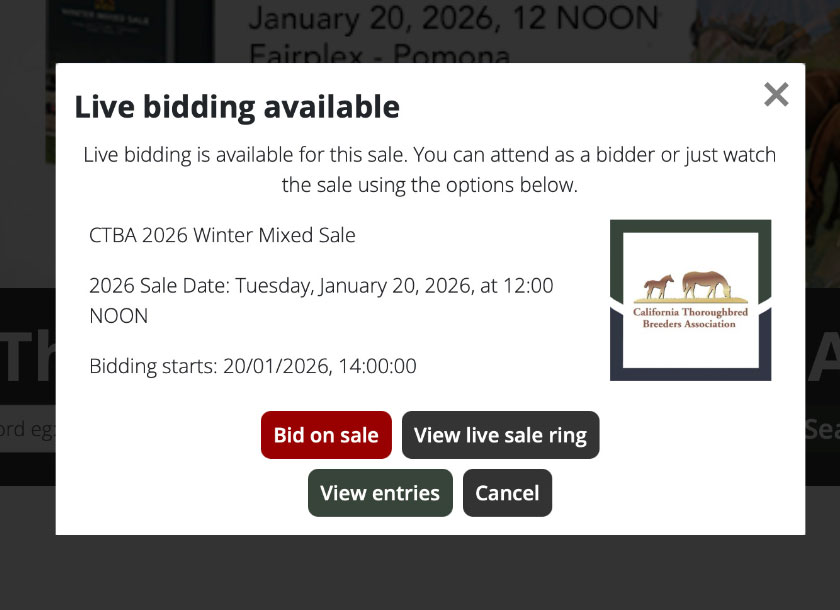
Click Bid on Sale. A pop-up window (modal) will appear with the following options:
- Bid on Sale – Start bidding on horses
- View Live Sale Ring – Watch the auction live in real time
- View Entries – Browse pedigrees, past performance, photos, and videos for all entries
NOTE:
You do not need to log in or register to view the live auction. An account is required only if you wish to place bids.